

Workflow
How ExamGrader works
Upload, grade, review, share — for one paper or a whole class.
At a glance
Four steps from upload to report
- 1
Upload
Question paper, answer sheets and optional mark scheme — one student or a whole class.
- 2
AI reads the handwriting
Answers, working and equations are transcribed question by question.
- 3
Graded against your scheme
Question-wise marks and feedback, using the AI's subject knowledge if there is no scheme.
- 4
Review and share
Check answers flagged “Needs review”, then share reports with students and parents.
In detail
Intake, analysis and intelligence
Step 1
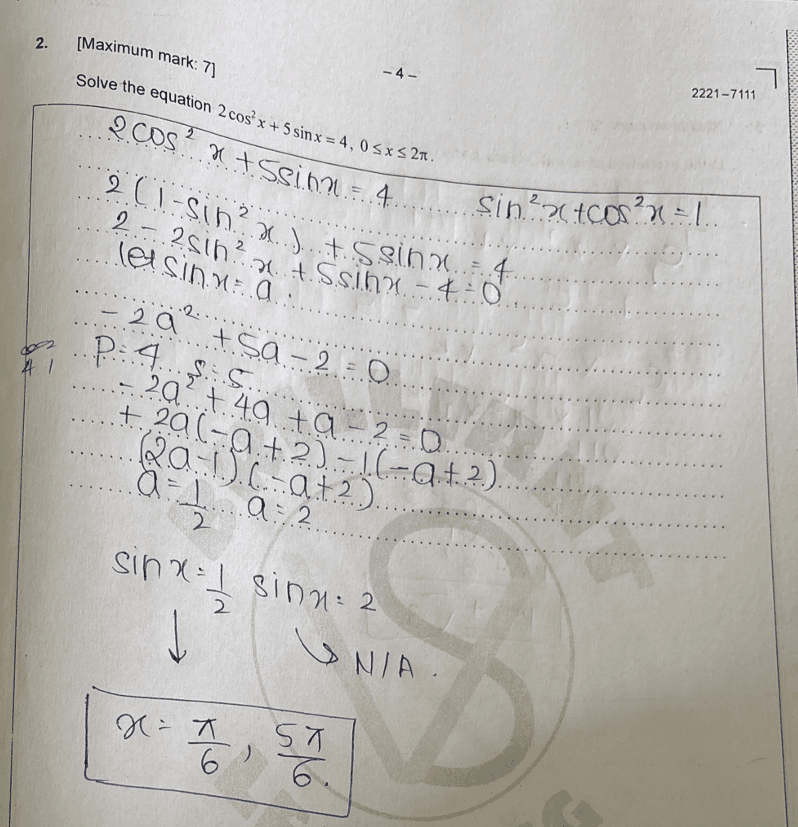
Intake
Upload papers and answer sheets as PDFs or images, for one student or a whole class.
- Handwriting recognition
- Bulk upload
- Encrypted storage
Step 2
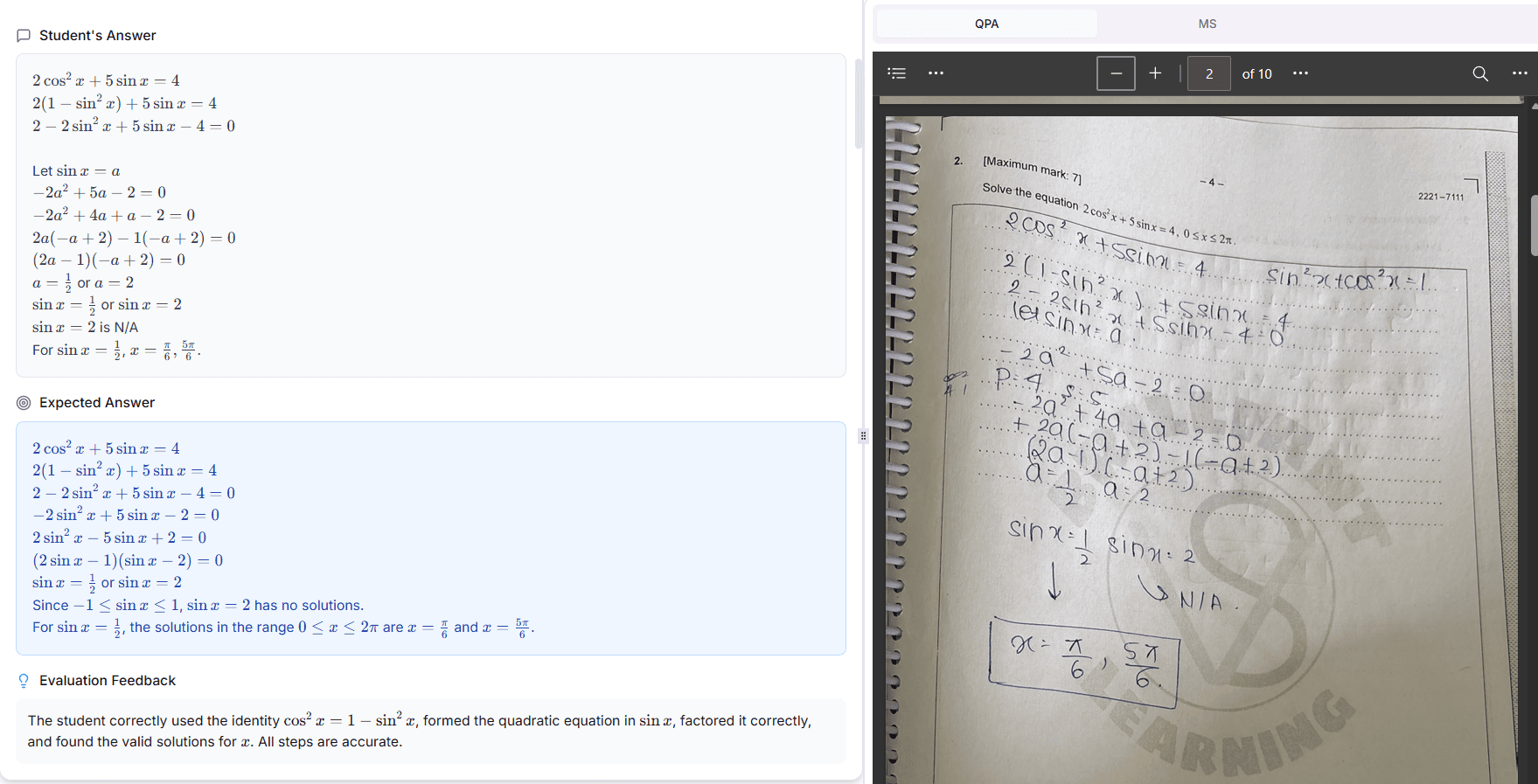
Analysis
Each answer is graded in context against the mark scheme, with feedback beyond right or wrong.
- Context-aware grading
- Consistent scoring
- Fast results
Step 3
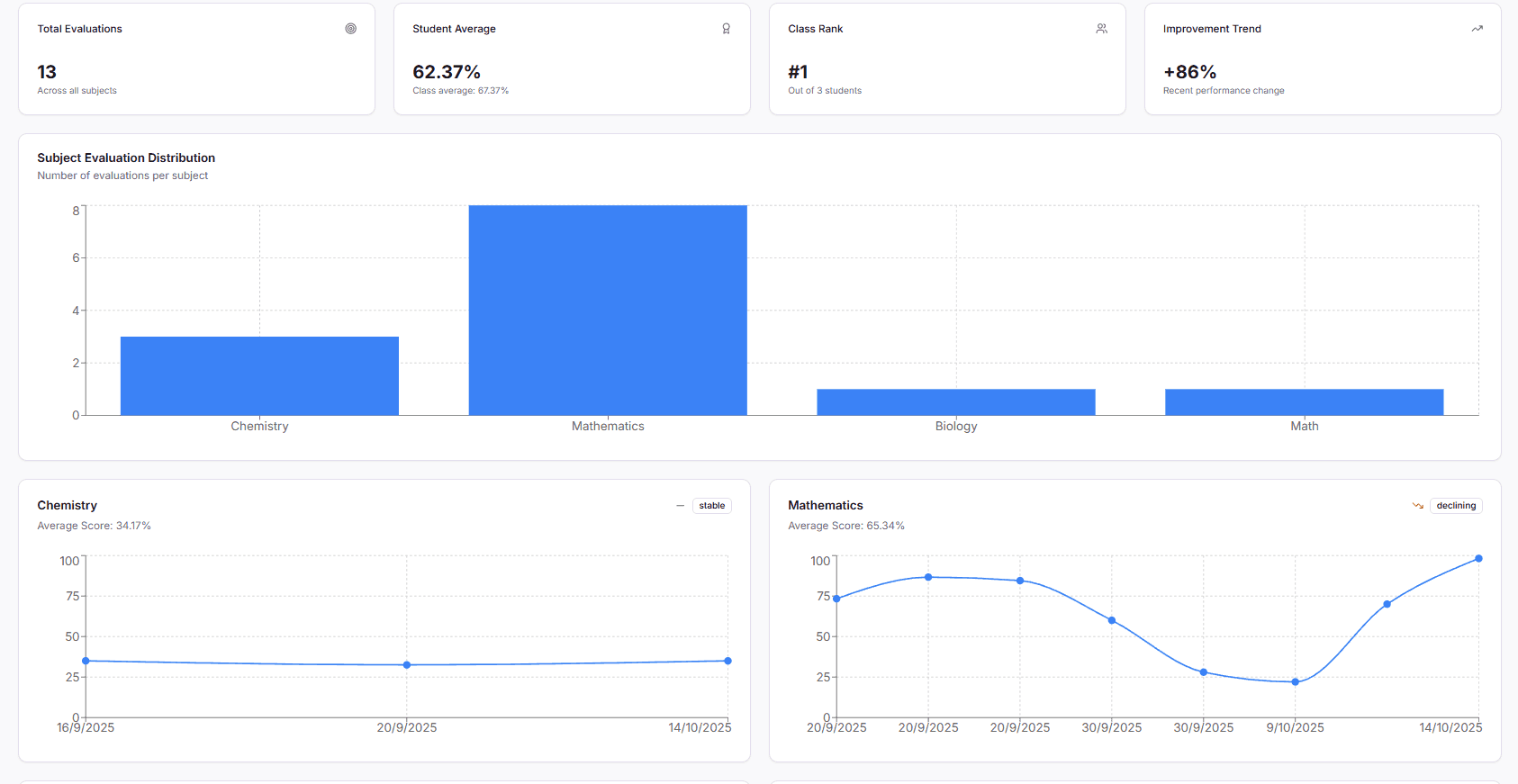
Intelligence
Subject-wise performance and recommended next steps for every student.
- Subject-wise matrix
- Class tracking
- Weak-point alerts
Teachers stay in control
Mismatched totals, duplicate question numbers and unreadable answers are flagged “Needs review”, so you check only what needs a human eye.
Read the Evaluation BenchmarkGrade your next exam with ExamGrader
50,000 free tokens. No credit card required.